






A 16 inch laptop can make a noticeable difference when you spend hours working across multiple apps, browser tabs and documents. The larger display gives you more room to arrange windows side by side, while also making movies, photo editing and other content more comfortable to view. However, a bigger screen does not automatically mean a better laptop.
Display resolution, refresh rate, processor, battery life and weight still matter when choosing a 16 inch model. Some laptops focus on office productivity, while others are designed for gaming, creative work or everyday use. Here are some 16 inch laptops worth considering across different requirements and budgets.
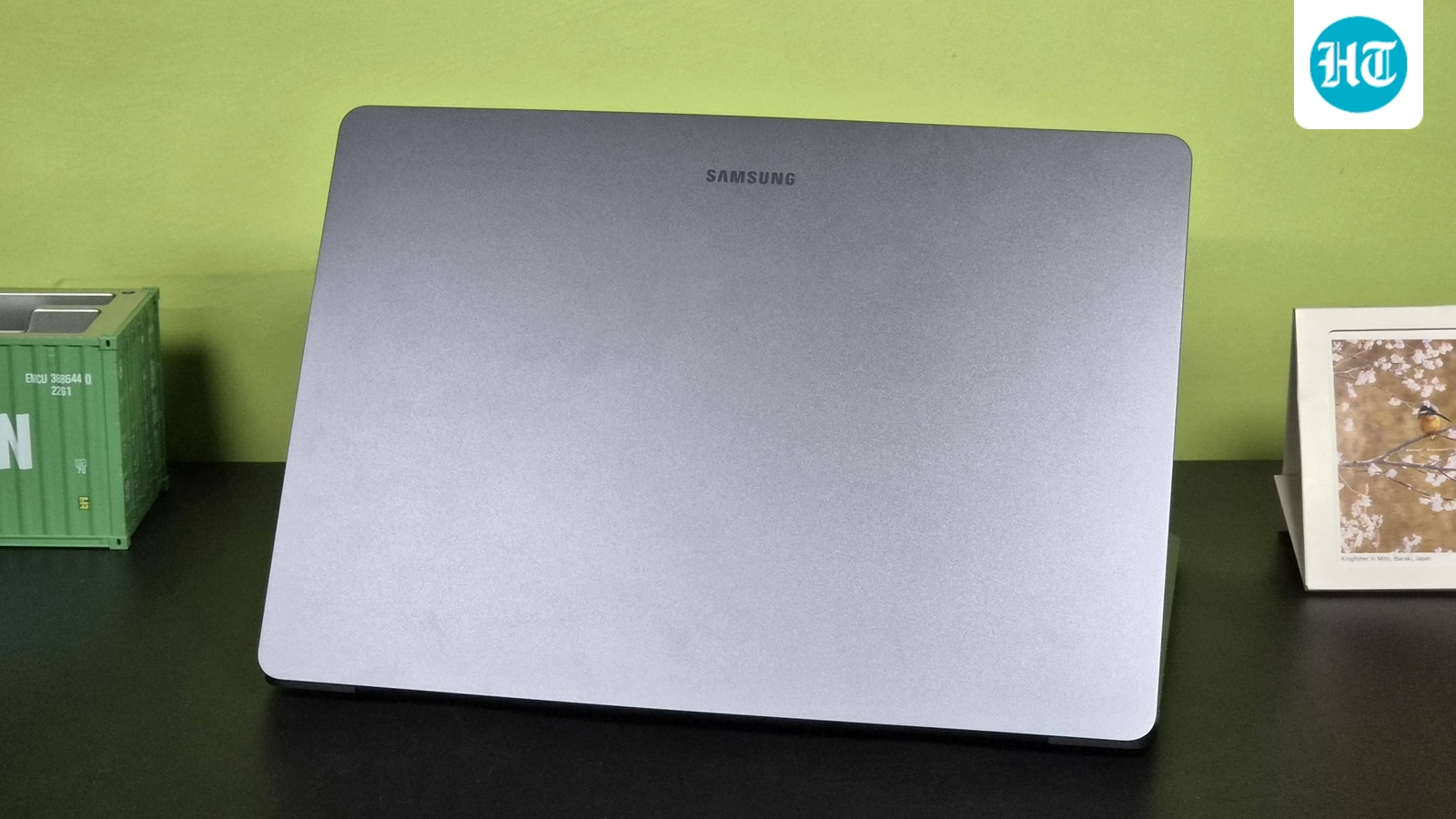
Samsung is the the brand that do not comes to mind when you think of laptops. But after reviewing Galaxy Book 6 Pro recently, I started recommending Samsung laptops to my friends and family. The kind of build quality you get here is amazing, and I thing this is the closest a Windows laptop can get close to a MacBook.
The Galaxy Book6 is the base model from the series featuring the latest Panther Lake chips, known for their efficiency to performance ratio. And these chips are powerful enough to handle your regular browser based tasks, video editing and even lightweight gaming. Read my full review of Galaxy Book 6 Pro.
Specifications
Display
16 inch WUXGA+ touchscreen, 120Hz
Processor
Intel Core Ultra 7 Series 3
Graphics
Integrated Intel graphics
Battery
Up to 24 hours video playback
Reasons to buy
Sharp 120Hz touchscreen display.
Long claimed battery life.
Reason to avoid
Integrated graphics limit gaming.
Large screen makes it less compact.
What are buyers saying?
Early feedback focuses on the premium design, smooth 120Hz touchscreen and strong battery endurance. Users also appreciate the speakers and overall productivity experience, although gaming performance remains limited.
Why you should choose this product?
Choose the Galaxy Book6 if you want a large touchscreen for work and entertainment, along with modern Intel performance, strong battery life and Samsung’s ecosystem features.
BEST GAMING
2. HP Omen 16, Intel Core Ultra 7 255H, 8GB RTX 5050, 24GB DDR5(Upgradeable) 1TB SSD, 2K IPS 165Hz 400 nits, 3ms RT, 16”/40.6cm, Win11, Office24, Black, 2.4kg, am0240tx, Xbox Gamepas* RGB Gaming Laptop
Our Principles
Full Transparency
Every product review clearly lists the Pros and Cons, giving you a balanced view.
Brand Confidence
We focus on products from brands with a proven reputation and long-standing market trust.
The HP Omen 16 is the performance focused option here, combining an Intel Core Ultra 7 255H processor with RTX 5050 graphics and 24GB DDR5 RAM. Its 16 inch 2K IPS panel runs at 165Hz, has 400 nits brightness and a 3ms response time, making it suitable for fast paced gaming. The 1TB SSD provides plenty of storage, while upgradeable memory, RGB lighting and an 83Wh battery make this a capable desktop replacement.
Specifications
Display
16 inch 2K IPS, 165Hz, 400 nits, 3ms
Processor
Intel Core Ultra 7 255H
RAM
24GB DDR5, upgradeable
Graphics
NVIDIA GeForce RTX 5050 8GB
Reasons to buy
Excellent 2K 165Hz gaming display.
Strong RTX 5050 performance.
Reason to avoid
Heavy 2.4kg chassis.
Fans get loud under heavy loads.
What are buyers saying?
Reviews praise the fast performance, sharp high refresh rate display, comfortable keyboard and gaming capabilities. The most common compromises are its weight, fan noise under load and dependence on the charger during intensive gaming.
Why you should choose this product?
Choose the Omen 16 if gaming and demanding creative workloads are your priorities. The RTX 5050, 24GB RAM, fast display and 1TB SSD give it substantial performance headroom.
BEST DESIGN
3. acer Nitro Lite 16, 13th Gen, Intel Core i5-13420H Processor,NVIDIA GeForce RTX 3050-6 GB GDDR6, 16GB/ 512 GB, 16.0″/40.64 cm, 165 Hz, Win 11 Home, White, 1.95 kg, NL16-71G, Backlit KB,Gaming Laptop
The Acer Nitro Lite 16 is a relatively lightweight gaming laptop built around a 13th Gen Intel Core i5 processor and RTX 3050 graphics with 6GB VRAM. It has a 16 inch WUXGA IPS display running at 165Hz, giving games smoother motion than conventional 60Hz panels. The 16GB DDR5 RAM and 512GB PCIe Gen4 SSD cover everyday gaming and productivity needs, while the 1.95kg chassis makes it easier to carry than many larger gaming machines.
Specifications
Display
16 inch WUXGA IPS, 165Hz
Processor
Intel Core i5 13420H
Storage
512GB PCIe Gen4 SSD
Graphics
NVIDIA GeForce RTX 3050 6GB
Operating system
Windows 11 Home
Reasons to buy
165Hz display suits fast gaming.
RTX 3050 has dedicated graphics memory.
Reason to avoid
Display colour coverage is limited.
Older 13th Gen processor.
What are buyers saying?
Feedback around the Nitro Lite range generally highlights the lightweight design, gaming performance and high refresh rate display. Users also point to the basic display colour coverage and battery life as compromises.
Why you should choose this product?
Choose it if you want dedicated graphics and a 165Hz screen without moving to a heavier gaming laptop. It is suited to mainstream gaming, college work and everyday productivity.
The 16 inch HP OmniBook 5 OLED combines a Snapdragon X processor with a large 2K OLED touchscreen, 16GB LPDDR5x RAM and a 1TB SSD. The Qualcomm platform includes a 45 TOPS NPU for Copilot+ PC features and is designed around efficiency rather than gaming. At 1.59kg, it is relatively light for a 16 inch laptop. The OLED panel, multi day battery positioning and bundled Office 2024 make it particularly appealing for productivity and entertainment.
Specifications
Display
16 inch 2K OLED touchscreen
Processor
Qualcomm Snapdragon X X1 26 100
Graphics
Qualcomm Adreno GPU
NPU
Qualcomm Hexagon, 45 TOPS
Reasons to buy
Excellent OLED display for movies and work.
Lightweight for a 16 inch laptop.
Reason to avoid
Not designed for serious gaming.
Some ARM software compatibility limitations remain.
What are buyers saying?
Current user feedback is largely positive, with buyers praising the OLED screen, smooth everyday performance, battery life and relatively light design. The Snapdragon platform remains the main compatibility consideration for some software.
Why you should choose this product?
Choose it if you want a large OLED touchscreen with strong battery efficiency and plenty of storage. It works particularly well for office work, study, streaming and travel.
LONG BATTERY BACKUP
5. ASUS Vivobook 16, Snapdragon X, 16GB RAM, 512GB SSD, FHD+ 16″, Windows 11, Office Home 2024, Quiet Blue, 1.88kg, X1607QA-MB049WS, Qualcomm Adreno iGPU, 45TOPS, M365 Basic (1Year)* Laptop
The ASUS Vivobook 16 combines a Snapdragon X processor with 16GB LPDDR5x RAM and a 512GB PCIe 4.0 SSD. Its 16 inch 16:10 FHD+ IPS display provides a larger workspace for documents, browsing and spreadsheets, while the 45 TOPS NPU enables Copilot+ features. The 1.88kg body is reasonably portable for its size, and ASUS adds Wi Fi 6E, an IR camera, backlit keyboard and a 50Wh battery with fast charging.
Specifications
Display
16 inch FHD+ IPS, 60Hz, 300 nits
Processor
Snapdragon X X1 26 100
Storage
512GB PCIe 4.0 SSD
Graphics
Qualcomm Adreno GPU
Reasons to buy
Very good battery endurance.
Large 16 inch 16:10 display.
Reason to avoid
Gaming performance is limited.
ARM compatibility needs consideration.
What are buyers saying?
Buyers frequently praise its battery backup and smooth everyday operation. Some users report difficulties with PC gaming and occasional software or system issues, highlighting the importance of checking ARM compatibility before buying.
Why you should choose this product?
Choose it if battery life and a large workspace matter more than gaming. It is well suited to browsing, documents, video calls, streaming and everyday office or college work.
The Lenovo IdeaPad Slim 5 is a 16 inch productivity laptop powered by the 12th Gen Intel Core i5 12450H. It pairs the processor with 16GB RAM and 512GB SSD storage, giving it enough hardware for office work, study and everyday multitasking. The WUXGA+ IPS display uses a 16:10 aspect ratio for additional vertical workspace, while the backlit keyboard and FHD camera improve usability. At 1.89kg, it remains manageable for occasional travel.
Specifications
Display
16 inch WUXGA+ IPS display
Processor
Intel Core i5 12450H
Graphics
Integrated Intel UHD Graphics
Reasons to buy
Large 16 inch productivity display.
Strong processor for everyday workloads.
Reason to avoid
Older 12th Gen platform.
Integrated graphics limit gaming.
What are buyers saying?
Users generally appreciate the keyboard, large display and everyday performance. Feedback also points to the practical build and smooth office experience, while the integrated graphics limit its usefulness for gaming and demanding visual workloads.
Why you should choose this product?
Choose it if you need a straightforward 16 inch office or study laptop with a capable H series processor, 16GB RAM and useful features such as a backlit keyboard.
The Lenovo ThinkPad E16 is a business focused 16 inch laptop built around AMD’s Ryzen 5 7530U processor. This configuration combines 16GB RAM and a 512GB SSD with business friendly features including a fingerprint reader, backlit keyboard, 1080p webcam, Ethernet and Wi Fi 6. Windows 11 Pro and Copilot support add to its workplace credentials. The ThinkPad keyboard remains one of its strongest features, while the integrated Radeon graphics keep it focused on productivity rather than gaming.
Specifications
Display
16 inch FHD+ IPS display
Processor
AMD Ryzen 5 7530U
Graphics
Integrated AMD Radeon graphics
Reasons to buy
Excellent ThinkPad keyboard and input experience.
Useful business connectivity and security features.
Reason to avoid
Display is fairly basic.
Integrated graphics are not for gaming.
What are buyers saying?
Reviews commonly praise the excellent keyboard, touchpad, practical business design and useful connectivity. Display quality is a recurring weakness, while the Ryzen 5 processor delivers adequate performance for ordinary office workloads.
Why you should choose this product?
Choose it if business features, keyboard quality and connectivity matter more than display quality or graphics performance. It is particularly suited to office users who need a dependable work machine.
Factors to consider when buying a 16 inch laptop
- Display quality: Check the resolution, brightness, colour coverage and refresh rate based on your work and entertainment needs.
- Processor performance: Choose a processor that can comfortably handle your usual workload, especially for multitasking, editing or demanding applications.
- Weight and portability: A 16 inch screen can add size and weight, so check the overall design if you plan to carry the laptop regularly.
- Battery life: A larger display can consume more power, making battery capacity and real world endurance important for mobile work.
- RAM and storage: Look for enough RAM for multitasking and an SSD with sufficient capacity for your files, applications and projects.
Similar articles for you
Working with heavy apps? These are the best laptops built for demanding workloads and multitasking
These everyday laptops are built to handle work, study and streaming without breaking the bank
Battery anxiety ruining your workday? Best laptops with day long battery life to buy now
Disclaimer: At Hindustan Times, we help you stay up-to-date with the latest trends and products. Hindustan Times has an affiliate partnership, so we may get a part of the revenue when you make a purchase. We shall not be liable for any claim under applicable laws, including but not limited to the Consumer Protection Act, 2019, with respect to the products. The products listed in this article are in no particular order of priority.


