



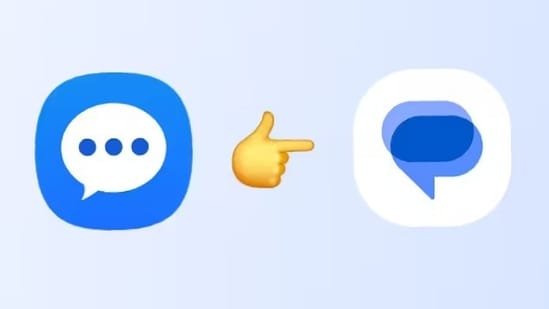
Samsung Galaxy smartphone users will soon have to ditch the company’s official messaging app, that is, the Samsung Messages app. The company has officially confirmed that it is shutting down its Messages app later this year. Once the app shuts down, Samsung smartphone users will have to switch to the Google Message app, which will also become the default messaging app on Galaxy devices.
It is worth mentioning that this switch to Google Messages app has been long coming. As per media reports, Samsung stopped shipping its Galaxy smartphones with Samsung Messages as the default messaging app app, a few years ago. The app, however, continued to come pre-installed on its devices. But that changed in 2024 when the company stopped pre-installing the app on its flagship devices. Now, the company has decided to phase out the Samsung Messages app in favour of the Google Messages app to maintain “a consistent messaging experience on Android”. The app will be discontinued in July 2026 and the exact date of discontinuation will be notified to users within the app.
Once the app is discontinued, users will not be able to send messages from the app. However, the app will continue to support emergency service numbers and emergency contacts defined in their devices.
Who is affected by this change?
Samsung says that users with Galaxy smartphones running on Android 11 or older Android versions will not be affected by this change. The company has also confirmed that the owners of the Samsung Galaxy S26 series and newer Galaxy devices will also not be affected by this change as the app is not available to download on these devices.
This means that users with devices running Android 12, Android 13, Android 14 and Android 15 will have to switch from the Samsung Messages app to the Google Messages app on their devices.
How to switch from Samsung Messages app to Google Messages app?
Here’s a step-by-step guide to switch from the Samsung Messages app to the Google Message app:
Step 1: Download and open the Google Messages app on your Samsung Galaxy smartphone.
Step 2: The first time you open the app, you will see a message that says – “To use Messages, make it your default SMS app”.
Step 3: Tap the “Set default SMS app” button.
Step 4: Select Google Messages.
Step 5: Tap the “Set as default” option and you’re done!
Disclaimer: At Hindustan Times, we help you stay up-to-date with the latest trends and products. Hindustan Times has an affiliate partnership, so we may get a part of the revenue when you make a purchase. We shall not be liable for any claim under applicable laws, including but not limited to the Consumer Protection Act, 2019, with respect to the products. The products listed in this article are in no particular order of priority.


