



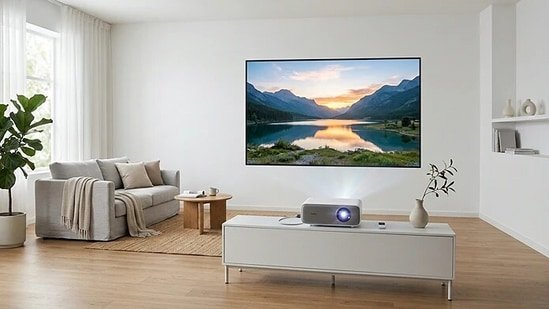
Large screen entertainment is no longer a luxury; now, you can pick a nice and affordable 4k projector for your home to enjoy movies with a massive view. The technology is improving, and the features which used to be a part of a premium setup are now available at budget prices. One of those features is 4K resolution. In smart TVs and projectors, 4K resolution is very common and now easy to reach for affordable buyers.
But the question is, do you really need 4k resolution and if you need it? I am going to break it down for you so you don’t have to be confused between FHD and 4K resolution on projectors. By the end, you should feel confident selecting a projector that suits your room and long-term needs.
Who should consider a 4K projector?
A 4K projector suits viewers who want a large, immersive screen experience. Film enthusiasts building a home cinema will benefit from the depth and detail of ultra-high-definition content. Console gamers using systems such as the PlayStation 5 or Xbox Series X can enjoy expansive visuals that feel far more engaging than standard televisions.
Projectors also work well in apartments where wall-mounted TVs may not be ideal. However, they are not perfect for every environment. If your room has strong daylight and limited control over curtains or blinds, brightness performance becomes critical. Understanding your space is the first step before browsing options.
Check out these 4K projectors
True 4K vs Pixel Shifting: What you need to know
Not all “4K” projectors deliver native 3840 × 2160 resolution. Native 4K models use imaging chips that physically contain the full 8.3 million pixels. These typically offer sharper detail and better clarity in fine textures, especially on very large screens.
Pixel-shifting projectors, often marketed as 4K enhancement, use rapid shifting techniques to simulate higher resolution. At normal viewing distances, many users may find the difference subtle, particularly for streaming content. However, native 4K can provide cleaner edges and improved detail for high-bitrate films and gaming.
The key is understanding your viewing habits and budget. Native 4K generally costs more, but pixel shifting models can still deliver impressive performance for most households.
Check out these portable projectors
Brightness and room conditions
Brightness is measured in lumens, but numbers alone do not tell the full story. For dark home theatre rooms, 1500 to 2000 lumens can be sufficient. If your space has moderate ambient light, aim for 2500 to 3000 lumens. Living rooms with more daylight often require 3000 lumens or higher for a punchy image.
Contrast ratio also plays a major role in perceived quality. A projector with strong contrast will display deeper blacks and more dimensional images. Keep in mind that manufacturer brightness ratings may reflect ideal testing environments, not real-world conditions. Always factor in screen size, wall colour and light control when assessing brightness suitability.
Gaming and motion performance
If gaming is a priority, input lag becomes critical. For competitive or fast-paced gaming, look for input lag under 20 milliseconds. Many modern projectors support 4K at 60Hz, while some offer 120Hz compatibility for smoother motion.
HDMI 2.1 support can enhance compatibility with newer consoles and high-refresh-rate content. Motion smoothing features can make sports appear fluid, though some viewers prefer to disable them for films to maintain cinematic texture.
Gamers using consoles such as the PlayStation 5 should verify supported resolutions and refresh rates before purchase to avoid performance limitations.
Audio, connectivity and smart features
Most projectors include built-in speakers, but these are typically designed for convenience rather than immersive sound. For a true cinema experience, pairing your projector with a soundbar or AV receiver is strongly recommended.
Check for HDMI ARC or eARC support if you plan to route audio through external systems. Wi-Fi connectivity and built-in streaming apps can simplify usage, reducing the need for additional devices. Bluetooth output is useful for wireless headphones or speakers, particularly in shared living spaces.
Connectivity flexibility ensures your projector remains relevant as your entertainment setup evolves.
Long-term ownership costs
Beyond the purchase price, consider ongoing costs. Traditional lamp-based projectors often offer 3000 to 5000 hours of lamp life, after which replacement is required. Replacement lamps can be a significant expense over time.
Laser projectors typically provide up to 20,000 hours of use and require less maintenance, though they often cost more initially. Always review warranty coverage and confirm the availability of authorised service centres. Reliable after-sales support is essential for a product designed to operate for many years.
Installation and planning
Before buying, evaluate the throw ratio and projection distance. Some models require significant space to produce large images, while short-throw projectors can create big screens from closer distances.
Ceiling mounting offers a clean, dedicated look, though table placement provides flexibility. Optical zoom is preferable to heavy digital keystone correction, as excessive keystone adjustments can reduce image sharpness.
Finally, consider long-term maintenance, warranty coverage and installation practicality. A carefully chosen projector can transform your viewing experience for years. Take time to compare specifications thoughtfully, and choose based on performance suitability rather than price alone.
Similar artilces for you
Disclaimer: At Hindustan Times, we help you stay up-to-date with the latest trends and products. Hindustan Times has an affiliate partnership, so we may get a part of the revenue when you make a purchase. We shall not be liable for any claim under applicable laws, including but not limited to the Consumer Protection Act, 2019, with respect to the products. The products listed in this article are in no particular order of priority.


