



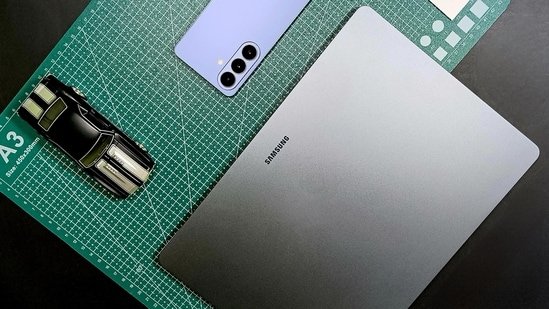
Samsung has clearly settled for a pattern with its Galaxy Book series laptops, and if you have been following it for the past few years, you will notice it immediately. Just like their smartphones, the upgrades are almost too subtle and gradual. The main goal is to refine what already works rather than trying to create something new.
Galaxy Book6 Pro completely follows that pattern. At first glance, you barely see any changes made to the laptop, because there are none. The Book6 Pro looks and feels the same as the Book5 Pro or even the Book4 Pro. You will barely see any difference, and that’s the point here. Rather than creating a whole new experience, Samsung is just trying to refine what’s already perfect.
The real change is on the inside, with the latest Panther Lake processors and a bigger battery. Samsung is promising better performance without cutting the battery performance. Our review unit has the top-end configuration, starting at ₹1,78,990. That’s a lot of money for a laptop, so the expectations are equally high. Let’s see if the Galaxy Book6 Pro is worth the price when there are a bunch of strong options in this segment
Design that never gets old
Let’s start with the design because this is where most people will be impressed, unless you are someone who wants to see a new design every year. Samsung hasn’t changed anything in the design at all; the only change you can find is that the logo placement has been changed on the lid. Other than that, if you put the Book6 Pro right next to the Galaxy Book5 Pro, you can barely tell the difference.
This is already one of the cleanest and most practical designs ever on a thin and light laptop. It’s slim, it’s minimal, and it feels premium without trying too hard. At around 1.2 kilograms and just 11.6mm thick, it’s incredibly easy to carry around. You can slip it into almost any bag without thinking twice, or just carry it without a backpack.
The wedge-shaped design is something I’ve always liked. It gives the illusion of being even thinner than it actually is, and it makes the laptop feel sleek in a way that flat designs sometimes don’t.
Build quality is exactly what you’d expect from Samsung at this price. The metal chassis feels solid, the finish is smooth and soft to the touch, and there’s no flex anywhere. The keyboard deck feels sturdy, the lid doesn’t wobble, and opening it with one hand is effortless. These are small things, but they add up to a premium experience.
One thing Samsung deserves credit for is the port selection. Despite how thin this laptop is, you still get a very usable set of ports. Thunderbolt, USB-A, HDMI, and a headphone jack are all here, which means you won’t be living the dongle life all the time.
That said, removing the microSD card slot feels like a step back. It was a useful feature, especially for content creators who work with cameras and handle data through microSD cards.
The keyboard is low-profile with well-spaced keys, and it’s comfortable enough for long typing sessions. The keys are a bit mushy, and while that makes it quiet, it also takes away the clickiness from the keys, which is important for me.
The trackpad, on the other hand, is excellent. This is easily one of the best haptic trackpads I’ve used on a Windows laptop in a long time. The glass surface feels smooth, the clicks feel consistent, and the overall precision is spot on.
The AMOLED display
Samsung has been using the same display in their laptops for the last two generations, and it is the perfect display you can ask for on a laptop. You get a 3K AMOLED touch screen disaplay, and even though it’s not entirely new, it’s still ahead of most of the competition. The colours are rich and lifelike, the contrast is exactly what you’d expect from an AMOLED panel, and all the content just looks sharp and vibrant.
You get up to 1000 nits in HDR and around 500 nits in regular usage, which makes a big difference, especially when you’re working in brighter environments. The 120Hz refresh rate is another highlight. Scrolling feels smooth, animations feel fluid, and once you get used to it, going back to 60Hz just feels slow. The dynamic refresh rate also helps with battery life, it goes from 30Hz to 120Hz automatically when needed.
Colour accuracy is strong across the board. Whether you’re editing photos, working on videos, or just watching content, this display holds up really well. It’s one of those panels that works equally well for entertainment and professional use. It is a glossy display, though, but surprisingly the reflections isn’t as distracting. The high brightness of the screen does help a bit when using the laptop outside.
Real performance where it actually matters
This is where the Galaxy Book 6 Pro really starts to amaze me. The unit I tested came with Intel’s Core Ultra X7 358H processor from the Panther Lake series, along with 32GB of DDR5 RAM and a 1TB NVMe SSD. On paper, it’s a powerful setup and it actually lives up to that promise.
For everyday tasks, this laptop feels effortless; opening apps, switching between tasks, handling multiple tabs, everything just works smoothly. There’s no hesitation, no lag, nothing that pulls you out of your workflow. And all that in silent mode, I barely switched this laptop to performance mode unless I am playing games on it or editing videos on DaVinci.
I spent quite a bit of time editing videos on DaVinci Resolve, working with multiple layers, text overlays, and effects. Even on battery, the performance stayed consistent. Playback was smooth, and even rendering didn’t feel like a struggle. That’s not something I can say for every thin and light laptop.
The integrated Intel Arc GPU also deserves a mention here. It’s not meant to replace a dedicated GPU, but it’s surprisingly capable. Casual gaming is easily doable, and even heavier titles can run if you’re willing to tweak the settings a bit.
I tried Cyberpunk 2077, and while you do have to lower the resolution and enable XeSS, the fact that it runs at all on a machine like this, and runs on battery, is honestly impressive.
Thermals are mostly fine; in light usage, the fan barely ramps up, it is super quiet, and the laptop also stays cool to the touch. But under heavy load, the laptop does get hot, which is expected given how thin it is.
The Samsung ecosystem advantage
Windows laptops are infamous for having a lot of bloatware right out of the box. You see a similar case here, unless you are a Samsung smartphone user. All the bloat that you find on this laptop is Samsung’s own apps, and most of them are useful with or even without a Samsung smartphone. The real value shows up when you pair this laptop with a Samsung phone.
Samsung’s Multi Control feature is amazing, the shared clipboard is something I ended up using constantly, and the ability to move your cursor between devices feels seamless. Dragging files directly from your phone to the laptop is probably one of the easiest file transfer experiences I’ve used. And it’s not just convenient, it’s also fast as transferring gigabytes of video files takes minutes.
Using your phone as a webcam is another useful addition, especially since the built in webcam on this laptop is just average. Samsung has also added quick settings directly into the system tray, which makes small adjustments much easier. Changing performance modes, toggling features, it’s all accessible without digging through menus.
Battery life that actually frees you
Battery life is easily one of the strongest aspects of this laptop. With the efficiency improvements from the Panther Lake series, getting around 10 to 12 hours of usage is very realistic. And in lighter workloads, especially in silent mode, you can push it even further.
This is one of those rare Windows laptops where you don’t feel anxious about carrying your charger everywhere. You can leave it at home and still get through a full day without issues. The 65W charger can take the battery from low to full in under an hour, which makes topping up very convenient.
What Samsung did right?
- Excellent AMOLED display
- Strong battery life
- Smooth real world performance
- Premium thin and light design
- Best in class trackpad
- Useful Samsung ecosystem features
What are the misses?
- Keyboard feels slightly mushy
- No microSD card slot
- Average webcam
So, is it worth it?
Samsung Galaxy Book6 Pro takes an already solid formula and improves the parts that actually matter. Performance is improved, battery life is fantastic, and the overall experience feels more refined. For Samsung smartphone user, this laptop is the perfect
If you’re upgrading from an older machine, or stepping into the premium thin and light category, this is a very easy laptop to recommend. It gets almost everything right.
Read more reviews
Samsung Galaxy S26 review: Refining the compact flagship formula with meaningful upgrades
HP EliteBook 8 G1a review: Premium business laptop with impressive battery and AI features
Disclaimer: At Hindustan Times, we help you stay up-to-date with the latest trends and products. Hindustan Times has an affiliate partnership, so we may get a part of the revenue when you make a purchase. We shall not be liable for any claim under applicable laws, including but not limited to the Consumer Protection Act, 2019, with respect to the products. The products listed in this article are in no particular order of priority.


