



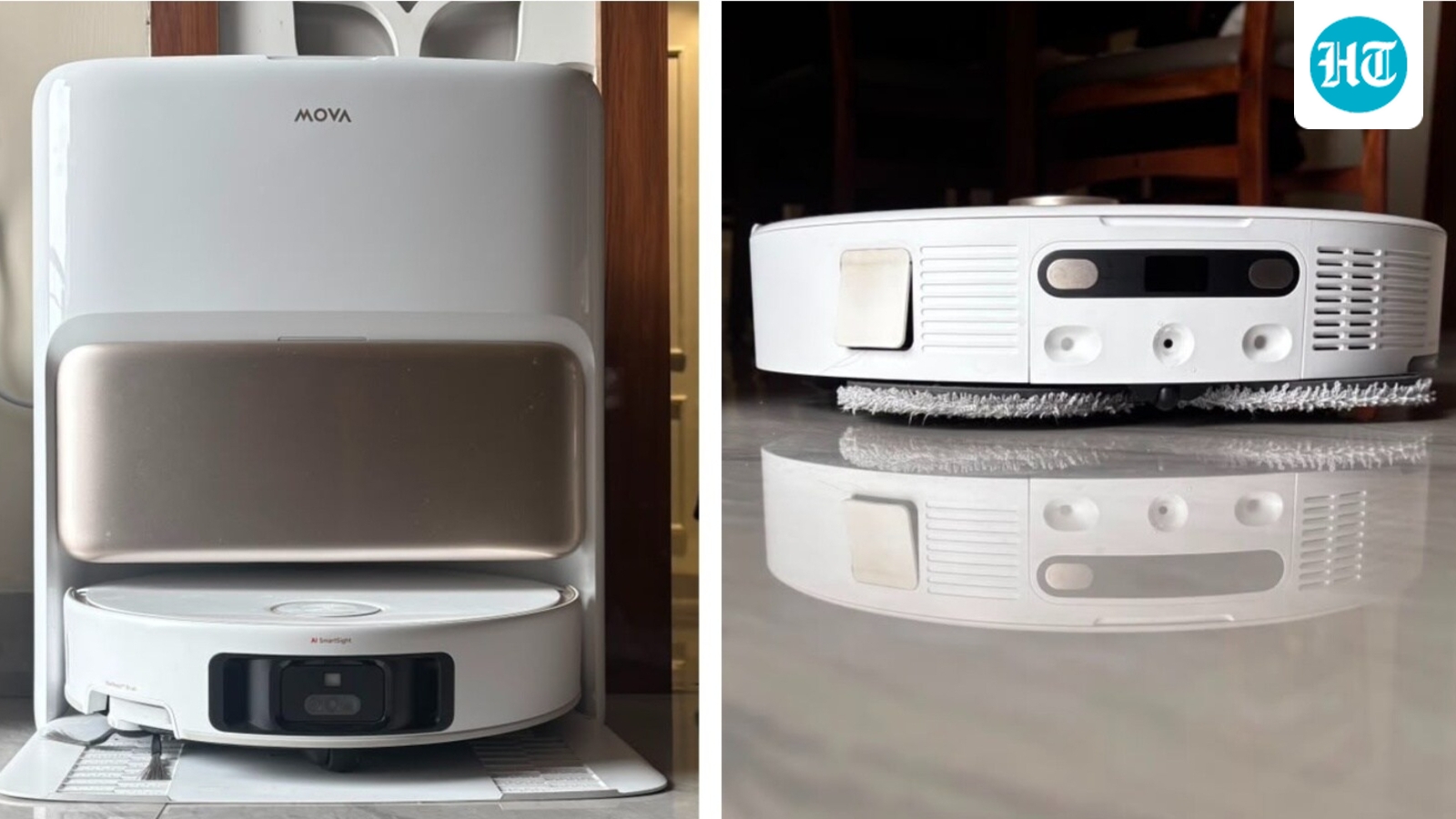
It’s been more than 30 days of the Mova V50 Ultra robotic vacuum cleaner cleaning my house every day. From standard to intense cleaning, along with customised vacuuming and mopping, I’ve tried almost every mode it offers. Somewhere along the way, this robot vacuum became such a seamless part of my daily routine that I barely noticed when it was doing its job.
After more than a month of using it, I’ve had enough time to see how it handles everything from everyday dust and hair to spills, corners, carpets and those tricky areas around furniture. Priced at ₹87,999, the Mova V50 Ultra sits firmly in the premium robot vacuum segment. Here’s what my experience with the Mova V50 Ultra has been like.
Check out the Mova V50 Ultra robotic vacuum cleaner on Amazon
Mova V50 Ultra review: My first impressions
Since I’ve tested several robotic vacuum cleaners, setting up the Mova V50 Ultra was fairly easy. The initial mapping took a good amount of time, as it does with most robot vacuums, but it was impressively precise. It understood my home well, identified furniture it could go under and even recognised areas it could climb onto. Watching it jump onto the lower compartment of my centre table was quite funny.
The V50 Ultra also responds to basic voice commands such as “start cleaning” and “stop cleaning”. The MOVAhome app makes it even easier to operate remotely and customise cleaning. In the box, you get the robot vacuum, base station, mop pads, side brush, cleaning solution, dust bags and other setup accessories.
Mova V50 Ultra robotic vacuum cleaner specifications
Mova V50 Ultra design
The Mova V50 Ultra is a fairly large robot vacuum, and you can tell there is a lot packed underneath its body. It has a solid build with a clean, premium-looking finish, while the retractable LiDAR on top is one of its most noticeable design elements. The sensor lowers when the robot needs to get under shorter furniture. At the bottom, you get large wheels, a main brush and a side brush, along with two rotating mop pads at the rear.
The robot also houses separate compartments for dust and water, while most of the heavy lifting happens at the multifunctional dock. It is sizeable, but that is expected considering it handles dust collection, water management, mop washing and drying.
Mova V50 Ultra vacuum cleaning: How well does it actually clean?
The Mova V50 Ultra handles everyday dust and debris really well, although during the initial few days, I had to play around with the app and adjust the settings according to my needs. The suction power is undeniably strong, and you can actually feel the difference when walking barefoot on the floor before and after a cleaning cycle.
It reaches corners and edges by extending its side brush, which I found particularly impressive. Its CleanGenius feature can detect dirt and decide whether an area needs vacuuming or mopping, even when cleaning rugs and mats.
The different suction modes, including Standard and Turbo/Intense, also make a noticeable difference. But the feature I used most was zonal cleaning. Once the home map was set up, I could simply select an area without sending the robot around the entire house. Room selection and customisable cleaning made the experience much more convenient.
In my 30 days test, I hardly needed to manually vacuum or sweep the floors. I simply dusted the furniture first and let the V50 Ultra pick up everything that fell onto the floor.
Mova V50 Ultra mopping: This is where the automation gets interesting
The Mova V50 Ultra’s dual rotating mop pads do a really good job with everyday mopping, and the extended mopping feature makes it particularly useful around corners and edges. The mops can also lift when needed, while carpet detection helps prevent wet cleaning on rugs and carpets.
However, there is a limit to how much liquid it can handle at once. I realised this after spilling a fairly large amount of coffee in my kitchen. I set the robot to zonal cleaning with the mopping function on a very wet setting, and it managed to suck up the spilled coffee. I then sent it back to the dock to rinse the mops, but the washboard overflowed because there was simply too much liquid. I had to manually clean it, remove the robot from the dock and check the pipe leading to the dirty-water tank for any blockage.
Once everything was cleaned and the mops had rinsed, the V50 Ultra returned to the kitchen and mopped up the remaining coffee remarkably well. The hot-water mop washing also does a thorough job of cleaning the pads. So, while the automation works well for regular cleaning, larger spills can still require some manual intervention. I also found that spending some time experimenting with the app settings helped me figure out what worked best for different situations.
StepMaster tested: Can it really climb over thresholds?
Yes, the StepMaster feature works, but the robot first needs to identify that the surface is at a height it can reasonably climb. Once it recognises an approachable threshold or raised surface, the V50 Ultra adjusts its wheels and steps over it rather than getting stuck or turning back.
In my testing, this was particularly useful when moving between different floor levels. What I liked was that it didn’t seem to blindly attempt every raised surface. It assessed the height and then decided whether it could climb over it. This makes the StepMaster feature more than just a specification on the box, especially for homes with small thresholds between rooms.
Obstacle avoidance and navigation: How smart is it really?
The Mova V50 Ultra’s AI SmartSight system does a good job of understanding its surroundings. Here’s how it performed in different situations during my testing:
Cables: If a very thin cable is lying loose on the floor, the V50 Ultra may try to vacuum over it and get it caught in the brush. A cluster of cables or thicker wires is more likely to be avoided. I’d recommend keeping important cables off the floor before starting a cleaning cycle.
Furniture: It identifies whether it can go under or around furniture and adjusts its route accordingly. It also tries to squeeze through tighter spaces when there is enough room.
Chair legs: It did particularly well around my dining table, moving between and under the chairs without getting interrupted or needing assistance.
Small objects: The AI SmartSight system can identify objects in its path and adjust its route, although I would still keep small and valuable objects off the floor before cleaning.
Dark areas: When it enters a poorly lit area, the built-in flashlight automatically switches on, allowing it to continue navigating.
Under the bed and sofa: This was one of the areas where it performed particularly well, getting underneath furniture and cleaning spaces that are otherwise easy to ignore.
Getting stuck: During more than 30 days of testing, it never once got stuck. As long as it remained connected to Wi-Fi, it was able to navigate around my home, complete the cleaning and find its way back to the dock without any manual intervention.
Mova V50 Ultra app experience: Plenty of control, once you get familiar with it
The MOVAhome app gives you plenty of control over the V50 Ultra. Once the map is ready, you can select rooms or specific zones, adjust suction and mopping settings, and schedule cleaning. I found zonal cleaning particularly useful for targeting one area without running the robot through the entire house.
It took some time to understand all the controls, but the app became easy to use. The app notifies you when the robot is stuck, or if you need to empty the dirty water tank. You can track where the robot is at a particular time, how much cleaning time is left, and when it is done cleaning.
The self-cleaning dock: How hands-off is it?
The dock takes care of most of the messy work. It automatically empties the dust collected by the robot, washes the mop pads and dries them after cleaning. The hot-water washing does a particularly good job of rinsing the mops, so I didn’t have to manually wash them after every cleaning cycle.
However, self-cleaning doesn’t mean maintenance-free. You still need to refill the clean-water tank, empty the dirty-water tank and occasionally check the dock and its water pathway. I had to intervene several times when the robot encountered larger amounts of liquid, causing the washboard to overflow and requiring manual cleaning and a check of the dirty-water pipe.
Mova V50 Ultra battery life and charging
This is a slightly tricky one. The V50 Ultra handled my 1,600 sq. ft. 3BHK home in a single charge and, after completing the cleaning, returned to the dock with some battery still left. However, you need to keep the dock connected to a power source. If the robot is disconnected, I noticed that its battery continues to drain slowly.
Battery consumption also varies with the cleaning mode. Standard cleaning uses less power, while Turbo and Intense modes consume more. For my regular cleaning routine, the battery performance was more than sufficient.
Mova V50 Ultra: What I liked and what I didn’t
Should you spend ₹87,999 on the Mova V50 Ultra?
After living with the V50 Ultra for over a month, I think its biggest strength is how little thought it demands once you set it up properly. It quietly handles the daily floor-cleaning routine while giving you enough control when you need it. The learning curve and maintenance are still there, but they are manageable. At ₹87,999, it makes the most sense for larger homes where cleaning every day is a chore you’d rather hand over to a machine.


