



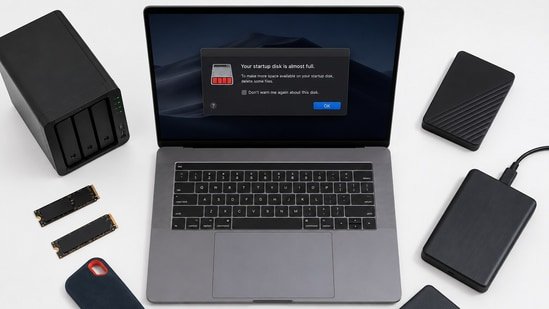
If you have been using the same laptop for a few years, chances are you have seen the low storage warning more than once. It usually starts with a few large files, then your Downloads folder keeps growing, games take up hundreds of gigabytes, and before you know it, your laptop is struggling to install updates or save new files.
I review laptops regularly, and one thing I have noticed is that storage fills up much faster than most people expect. Modern games are larger than ever, 4K videos take up a lot of space, and even AI tools are encouraging people to create and store more content locally.
The good news is that you do not always need to buy a new laptop. Depending on your needs and budget, there are several ways to get more storage. Some options are quick and affordable, while others are better if you want a long term solution.
Start by cleaning up what you already have
Before spending money, it is worth checking what is taking up your storage. Most laptops end up with duplicate photos, old downloads, unused software and temporary files that have been sitting there for months.
Windows Storage settings can quickly show which folders are using the most space. Removing unused applications, clearing temporary files and moving large files to another location can often free up tens of gigabytes. If you rarely open a file, there is no reason for it to stay on your laptop all the time.
Upgrade the internal SSD for the biggest improvement
If your laptop supports storage upgrades, replacing the internal SSD is usually the best long term solution. Many laptops come with a 512GB SSD, which can feel limiting if you install several games, edit videos or work with large projects.
Upgrading to a 1TB or 2TB NVMe SSD gives you much more room while also keeping the speed of your laptop intact. In some cases, newer SSDs are even faster than the one that originally came with your laptop.
Not every laptop allows storage upgrades, especially very thin models, so it is worth checking your manufacturer’s specifications before buying a new SSD. If your laptop has a spare M.2 slot, you may even be able to add another SSD instead of replacing the existing one.
MacBook user? try these external SSDs
Modern MacBooks have its storage soldered to the motherboard so there’s no way to upgrade the storage internally. The best option is to get a fast external SSD storage for your MacBooks.
Modern USB C external SSDs are incredibly fast, compact and easy to carry. You simply plug one in and start using it immediately. They are excellent for storing photos, videos, project files or game libraries without filling your laptop’s internal storage.
I often recommend external SSDs to content creators because they make it easy to move large files between different devices while maintaining good transfer speeds. Although they cost more than external hard drives, the extra speed and durability are worth paying for if you move files regularly.
External hard drives still offer the best value
If your priority is getting as much storage as possible without spending too much, traditional external hard drives are still a great choice. You can easily find 2TB, 4TB or even larger drives at reasonable prices. They are ideal for backing up family photos, storing old videos or keeping documents that you do not need every day.
The only downside is speed. Hard drives are much slower than SSDs and are also more vulnerable to damage if dropped. But for a large amount of data which you don’t need to move very often can be stored away in external hard drives which you can get for a fraction of price compared to an external SSD.
NAS storage works well for families and power users
If multiple people in your home need access to the same files, a Network Attached Storage, or NAS, can be a smart investment. A NAS is essentially your own private storage server that connects to your home network. Once it is set up, you can access files from laptops, phones, tablets and even smart TVs.
Many NAS systems also support automatic backups, remote access and media streaming, making them much more than simple storage devices. While they are more expensive than external drives and require some initial setup, they offer excellent flexibility if you have a large collection of photos, videos or important work files.
The research and expertise
I have been reviewing laptops and computer accessories for years, testing everything from laptop stands and docking stations to external SSDs, hubs, keyboards, mice, and other productivity accessories. For this buying guide, I compared these laptop accessories based on performance, build quality, compatibility, ease of use, and value for money, while also analysing customer reviews on Amazon to understand real-world reliability before shortlisting these recommendations.
Similar articles for you
Still carrying a heavy laptop every day? These Samsung Galaxy Books make work and travel much easier
Students can study, create and collaborate better with these laptops
Disclaimer: At Hindustan Times, we help you stay up-to-date with the latest trends and products. Hindustan Times has an affiliate partnership, so we may get a part of the revenue when you make a purchase. We shall not be liable for any claim under applicable laws, including but not limited to the Consumer Protection Act, 2019, with respect to the products. The products listed in this article are in no particular order of priority.


