



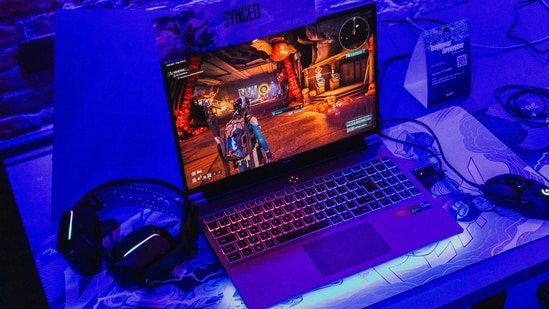
Buying a gaming laptop today is less about chasing labels and more about knowing what actually delivers in daily use. From what I’ve seen over the past few product cycles, two things still matter most – consistent graphics performance and a display that can keep up. The newer RTX 5050 machines try to strike that balance without pushing prices too far. For anyone tracking current deals, especially on Flipkart, there are a few options that stand out for different types of users – students, gamers, and people who edit or stream on the side.
At the core of these machines is the RTX 5050 GPU from Nvidia. It runs at a peak clock of 2.57GHz and comes with 2,560 CUDA cores based on the Blackwell architecture. It also includes fifth-generation Tensor cores and fourth-generation ray tracing cores. NVIDIA claims up to 440 trillion operations per second for AI-based tasks, which shows up in features like DLSS 4 and improved frame generation in supported games.
Connectivity support includes HDMI 2.1b and DisplayPort 2.1b. The desktop variant goes up to 130W power draw and is positioned as a step up from the RTX 3050. On laptops, the RTX 5050 uses GDDR7 memory, which is more efficient in handling power and thermal limits. For users, that translates into better sustained performance during longer gaming or editing sessions. Ray tracing support and Nvidia Reflex also add to the overall experience in supported titles.
Here’s a closer look at some of the current deals.
The ASUS Gaming V16 (2025) focuses on offering a balanced setup in a relatively portable form. It runs on an Intel Core 7-240H processor paired with 16GB DDR5 RAM and a 512GB NVMe SSD. The RTX 5050 GPU with 8GB GDDR7 memory handles gaming and light creative tasks without struggle.
The 16-inch FHD+ display comes with a 144Hz refresh rate and 300 nits of brightness. In real-world use, this is enough for most games and editing workflows. The 1.95kg weight makes it easier to carry compared to bulkier gaming machines.
It ships with Windows 11 Home and supports Office 2024, which means it can double up as a work device. For users who want one system for gaming, streaming, and basic creative work, this model fits the requirement without overcomplicating things.
2. Acer Nitro V 15 (Intel Core i5 13th Gen)
Our Principles
Full Transparency
Every product review clearly lists the Pros and Cons, giving you a balanced view.
Brand Confidence
We focus on products from brands with a proven reputation and long-standing market trust.
The Acer Nitro V 15 is aimed at buyers who want to enter the RTX 50-series segment without spending too much. It uses an Intel Core i5-13420H processor, along with 16GB RAM and a 512GB SSD.
With the RTX 5050 onboard, this setup can handle most modern games at 1080p with stable frame rates, especially when DLSS is enabled. The 15.6-inch display supports a 165Hz refresh rate, which helps in competitive games where smoother visuals matter.
This machine also works well for tasks like coding, editing short videos, and regular multitasking. It’s a practical option for students or first-time buyers who need one laptop for both work and gaming.
The Lenovo LOQ 2025 is positioned for users who need more processing power alongside gaming performance. It features an Intel Core i7-14700HX processor, 16GB DDR5 RAM, and a 1TB PCIe Gen 4 SSD.
The RTX 5050 GPU here operates in a higher power range, which helps maintain performance during longer sessions. Whether it’s gaming, editing, or handling multiple applications at once, the system remains stable.
The 15.6-inch display offers a 144Hz refresh rate, and the inclusion of Wi-Fi 6E adds better connectivity. Another advantage is upgrade flexibility, which allows users to expand RAM or storage later. This laptop suits users who need a mix of gaming and heavier workloads without moving into higher price brackets.
The HP Victus AI model with Ryzen 7 260 takes a slightly different approach by offering more memory out of the box. It comes with 24GB DDR5 RAM and a 1TB SSD, which is useful for multitasking and handling larger files.
The Ryzen 7 processor can reach up to 5.1GHz, and combined with the RTX 5050 GPU, it manages both gaming and productivity tasks with ease. The system handles editing, coding, and streaming without noticeable slowdowns.
The 15.6-inch display supports a 144Hz refresh rate and 300 nits of brightness. It also includes Wi-Fi 6 and comes with a one-year onsite warranty. For users who want more RAM without upgrading later, this configuration makes sense, especially for those juggling multiple tasks.
The HP OMEN model moves slightly toward the higher end in terms of features and build. It uses an Intel Core 7-240H processor, paired with 24GB RAM and a 1TB NVMe SSD. The RTX 5050 GPU supports gaming beyond standard 1080p, with some titles running closer to 2K depending on settings. It also handles editing and streaming workflows without major limitations.
The 16-inch 2K display with a 165Hz refresh rate offers a better viewing experience for both gaming and daily use. HP’s cooling design helps maintain performance during extended sessions. This laptop is suited for users who want a system that can replace a desktop setup while still being portable.
5 Things to Consider Before Buying an RTX 5050 Gaming Laptop
1. GPU Power and Performance Limits
Not every RTX 5050 laptop performs the same. Laptop GPUs are tuned differently based on power limits (TGP). A higher wattage version will deliver better gaming performance and stable frame rates over longer sessions. Always check how the GPU is configured, not just the name.
2. Processor and Overall Balance
The GPU alone won’t define performance. Pairing matters. A system with an Intel Core i7 or Ryzen 7 will handle multitasking, editing, and gaming more efficiently than an entry-level processor. Look for a balanced combination to avoid bottlenecks.
3. RAM and Upgrade Scope
16GB RAM is a safe starting point for gaming and daily use. If you plan to edit videos, stream, or run multiple apps, consider 24GB or check if the laptop allows easy upgrades. Expandability can extend the usable life of the device.
4. Display Quality and Refresh Rate
A high refresh rate display (144Hz or 165Hz) improves gameplay smoothness, especially in competitive titles. Also consider resolution and brightness. A good panel helps not just in gaming but also in content work and daily usage.
5. Storage and Cooling System
A fast SSD (at least 512GB or 1TB) ensures quick load times and enough space for games and files. At the same time, cooling design matters. Laptops with better thermal management maintain consistent performance and avoid throttling during long sessions.
Disclaimer: At Hindustan Times, we help you stay up-to-date with the latest trends and products. Hindustan Times has an affiliate partnership, so we may get a part of the revenue when you make a purchase. We shall not be liable for any claim under applicable laws, including but not limited to the Consumer Protection Act, 2019, with respect to the products. The products listed in this article are in no particular order of priority.


