


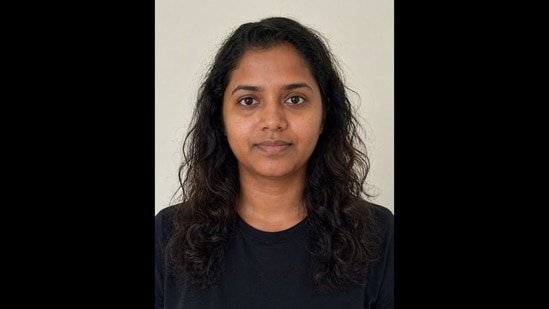
If you’ve ever stood in a dressing room wondering why a “trendy” beige top makes you look like you haven’t slept since 2019, you’ve probably considered personal colour analysis. I did too but then I saw the price tag for a professional session and decided that looking “vaguely unwell” was a more affordable aesthetic.

Then something changed! Enter the era of the AI glow-up. I decided to put ChatGPT to the test using an AI-generated likeness of myself to see if a chatbot could actually handle the nuances of “cool winter” versus “warm autumn.” The results weren’t just surprising; they were incredible.
Also Read: 3 uncomplicated ChatGPT prompts to create ‘meet your younger self’ viral Instagram trend pics
From pinpointing the exact lipstick shade to suggesting hairstyles that actually suit, it turns out your new favourite stylist doesn’t take appointments; it just takes the right prompts.
But you used an AI pic…
Now, you might be wondering if this only works because the AI image was already “perfect.” Plot twist: it doesn’t.
While I used the AI-generated likeness to showcase the results here, I secretly ran the same experiment with my actual, unfiltered face. The verdict? ChatGPT’s read on my original photo was just as eerily accurate. The AI’s suggestions for my real-life skin tone and features were nearly identical.
What prompt to use?
Whether you’re looking to find your “power colours” or finally settle the debate on which hair length actually works for you, the magic is all in the phrasing. I’ve broken down the exact prompts I used on ChatGPT and the results they generated.
#1: Prompt for hairstyle analysis:
Analyse hairstyles for the person in the uploaded picture and create a detailed pictorial guide. Here are the categories you focus on for the person in the uploaded picture.
1. Recommended (the hairstyles that flatter)
2. Okay hairstyles
3. Less flattering hairstyles
Also, add a section for styling tips
Check out the result:
#2: Prompt for personal colour analysis:
Analyse the personal colour for the person in the uploaded picture and create a detailed pictorial guide. Here are the categories you focus on for the person in the uploaded picture.
1. Colours that look fabulous
2. Colours that look good – neither great nor bad
3. Colours that look bad or wrong
Analyse the colour based on and mention the result:
1. Hue and temperature (undertone)
2. Value (depth)
Also, add a section on “How to wear your colours”
Also Read: ChatGPT Images 2.0: Which prompts work best? All about OpenAI’s new model
Check out the result:
#3. Prompt for makeup tips:
Analyse makeup tips for the person in the uploaded picture and create a detailed pictorial guide. Here are the categories you focus on for the person in the uploaded picture.
1. Skin tone
2. Eyeshadow palette
3. Lipstick shades
4. Blush shades
5. Foundation shades
6. Best finishes for textured skin
7. Makeup to avoid
8. Warm vs cool comparison
Also, add a section for advanced tips.
Check out the result:
For best results, upload an image that clearly captures your facial features and hair. Use an image without makeup. Have fun!
