


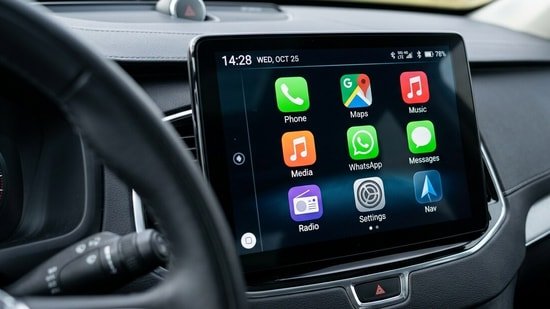
WhatsApp officially released an improved Apple CarPlay experience to the iPhone users. This update brings a new way of using WhatsApp on car dashboards. The update was in beta for the past few weeks and now it’s available to all the compatible devices worldwide. It will help the drivers to keep focus on the road without missing any of the important messages on WhatsApp.
With this new experience, users can now view recent chats, access chat list and pick up calls directly through the CarPlay interface. Earlier, WhatsApp on CarPlay relied heavily on vice commands with minted usability. The new update introduces a more visual approach while still offering the same safety focus restrictions like limited full message reading while driving.
The enhanced experience is designed to make communication smoother without distracting drivers. Users can listen to incoming messages, send voice replies, and quickly call contacts, all from their car’s infotainment system. The move aligns with broader efforts by Apple to expand app functionality within CarPlay while keeping driver safety at the forefront.
How to use WhatsApp on Apple CarPlay
To start using WhatsApp on CarPlay, users need to follow a few simple steps:
- First, ensure your iPhone is updated to the latest version of iOS and that WhatsApp is also updated via the App Store. Next, connect your iPhone to your car using either a USB cable or wireless CarPlay, depending on your vehicle’s compatibility.
- Once connected, the CarPlay dashboard will appear on your car’s screen. Look for the WhatsApp icon and tap to open it. From there, you can access recent chats, listen to messages, and use voice commands to reply or make calls.
The feature is being rolled out in phases and is expected to reach all eligible iPhone users running the latest version of WhatsApp in the coming days.
