


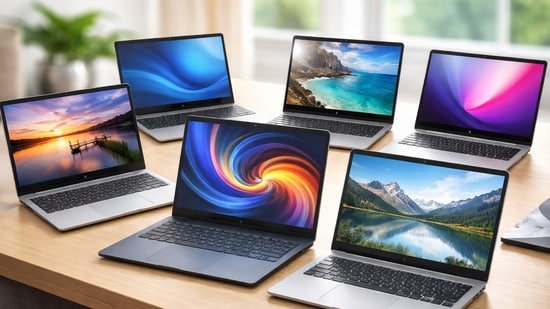
Budget laptops have quietly grown up. What once meant slow processors and compromised screens now covers machines that can handle real work without drama. The HP 15s shows how far entry-level Intel systems have come, staying reliable for daily office tasks and online classes. ASUS pushes the value angle further with the Vivobook 15, offering more memory headroom and a sharper sense of balance for multitasking. Acer’s Aspire 3 trims the excess, favouring portability and a clean Full HD panel for people who carry their laptop everywhere. Then there’s Primebook 2 Pro, which takes a different route entirely, blending Android flexibility with long battery life for lighter workflows. Lenovo’s V15 rounds things off with a straightforward, business-first approach that keeps things simple and predictable. Together, these laptops prove that performance on a budget is no longer about compromise, but about choosing the right strengths for how you actually work, study, and unwind at the end of the day.
HP 15s is built for everyday work that fills most days. It opens fast, stays responsive with multiple tabs, and keeps files within easy reach. The large screen suits spreadsheets, streaming, and long documents, while the light build travels easily between home and office. Battery life covers meetings and classes, and bundled Office helps you start properly without extra spend. Ports are practical, and the keyboard feels comfortable during typing.
What are buyers saying on Amazon?
Most buyers praise its speed for daily tasks, clean display quality, and reliable battery life at this price point.
Why choose this product?
It balances performance, screen size, and portability well, making it a sensible choice for students and everyday office users.
ASUS Vivobook 15 leans towards users who want proper headroom, not just basic performance. The Ryzen 7 chip keeps heavy browser use, large spreadsheets, light editing, and multitasking feeling calm rather than rushed. A roomy screen suits long workdays, while the backlit keyboard helps when work spills into late evenings. It stays portable enough for daily travel and comes ready with Office, cutting setup time and extra costs.
What are buyers saying on Amazon?
Buyers often highlight its speed, smooth multitasking, and value for money, especially for office work and daily productivity.
Why choose this product?
It suits users who want performance headroom today and tomorrow, without paying a premium for features they may never use.
Acer Aspire 3 is built for people who want a light, practical laptop that stays out of the way while work gets done. The 13th Gen Intel Core i3 handles everyday tasks smoothly, from documents to video calls, without feeling stretched. Its compact 14-inch size makes it easy to carry daily, while the IPS screen keeps viewing comfortable during long sessions. It feels dependable rather than flashy, which works.
What are buyers saying on Amazon?
Buyers appreciate its portability, clean performance, and fast startup, especially for students and work from home use.
Why choose this product?
It suits users who want a compact, reliable laptop that handles daily workloads comfortably without adding unnecessary weight or cost.
ASUS Vivobook 15 strikes a practical balance for everyday users who want a roomy screen without lugging extra weight. The 13th Gen Intel Core i3 keeps daily work smooth, while 12GB RAM makes multitasking feel less cramped. It suits long document sessions, streaming, and casual work with ease. The familiar Vivobook build feels reliable, making it a sensible pick for students and home offices alike.
What are buyers saying on Amazon?
Buyers like its smooth everyday performance, generous RAM, and clean design, especially for office tasks and online classes.
Why choose this product?
It makes sense for users wanting a large, reliable laptop that stays responsive for daily work without stepping into premium pricing.
Primebook 2 Pro is built for users who live inside apps and the browser all day. It feels closer to a Chromebook in spirit, but with the flexibility of Android at its core. The lightweight build, long battery life, and backlit keyboard make it easy to carry and comfortable to use. For students, remote workers, and casual users, it delivers a simple, fuss-free computing experience that stays affordable.
What are buyers saying on Amazon?
Buyers appreciate the battery life, smooth Android experience, and value pricing, especially for study, browsing, and online work.
Why choose this product?
It works well if you want a light, long-lasting laptop mainly for apps, web work, and everyday tasks without spending much.
Lenovo V15 G4 is aimed at users who want a straightforward Windows laptop for everyday tasks. It suits office work, online classes, billing, and basic multitasking without fuss. The large screen makes spreadsheets and documents easier on the eyes, while the fast SSD keeps things feeling responsive. It’s a practical choice for home users and small businesses that value reliability over extras.
What are buyers saying on Amazon?
Users like the fast startup, clean Windows experience, and solid screen size for work, browsing, and regular office use.
Why choose this product?
It delivers dependable performance and storage at a sensible price for everyday computing, making it a safe pick for practical users.
Is a budget laptop good enough for work and studies today?
Yes, if you pick carefully. Models like the HP 15s with 12th-gen Core i3 or the Acer Aspire 3 with Intel’s newer i3 handle documents, browsing, video calls, and light multitasking without strain. They’re built for steady daily use, not shortcuts. Add an SSD and enough RAM, and everyday work stays smooth.
How much performance should you expect under ₹50,000?
Plenty, depending on the chip. The ASUS Vivobook 15 with Ryzen 7 5825U sits at the top end, offering serious multitasking headroom. Core i3 options from HP, Acer, and ASUS focus more on efficiency. Primebook 2 Pro goes a different route, favouring battery life and Android apps over raw power.
Are cheaper laptops good for long hours of use?
They can be. Look for IPS displays and anti-glare screens, like those on the HP 15s and ASUS Vivobook range. Comfortable keyboards and decent speakers also matter. Lenovo V15’s large screen suits spreadsheets and writing, while Primebook 2 Pro stands out for all-day battery life during classes or travel.
Which budget laptop suits students versus home users?
Students may prefer lighter machines like the Acer Aspire 3 or Primebook 2 Pro for portability. Home and office users often benefit from bigger displays, making HP 15s and Lenovo V15 practical picks. If you want extra power for heavier multitasking, the Ryzen-based ASUS Vivobook 15 makes more sense.
Factors to consider when buying budget laptops
- Processor generation and real-world performance
- RAM capacity and future upgrade options
- SSD storage size and speed
- Display quality and screen size
- Battery life for daily routines
- Keyboard comfort and build quality
- Ports and wireless connectivity
Top 3 features of budget laptops
Disclaimer: At Hindustan Times, we help you stay up-to-date with the latest trends and products. Hindustan Times has an affiliate partnership, so we may get a part of the revenue when you make a purchase. We shall not be liable for any claim under applicable laws, including but not limited to the Consumer Protection Act, 2019, with respect to the products. The products listed in this article are in no particular order of priority.
