



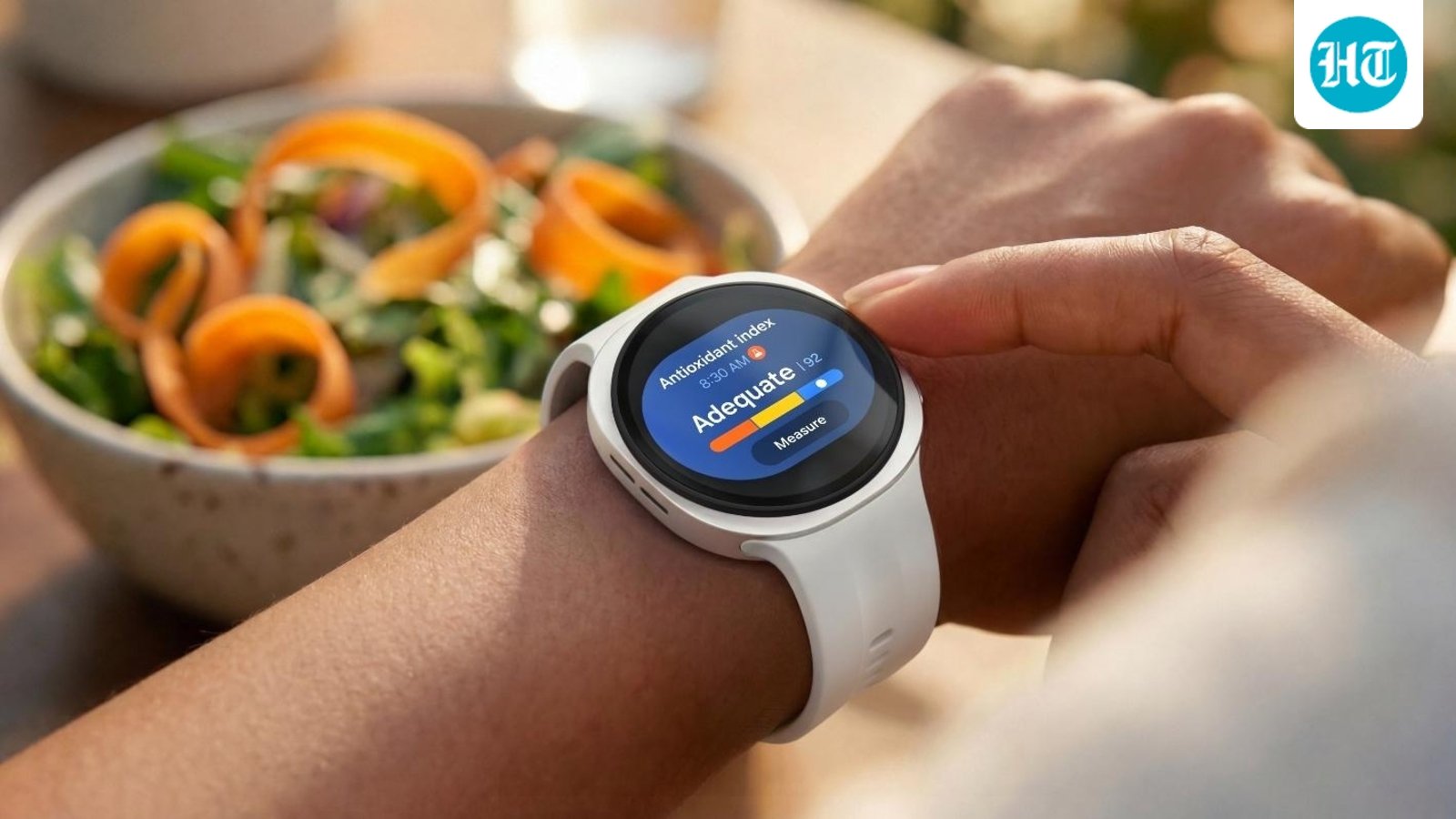
The Samsung Galaxy Watch9 adds new AI-driven health features including Daily Cardio Load, Fitness Index and an upgraded Running Coach, all built around Samsung’s BioActive Sensor and integrated into the Samsung Health experience. Hindustan Times wore the Galaxy Watch9 for 15 days to see how these features perform in everyday use, and whether they offer meaningful value beyond basic activity and health tracking.
What’s New in Galaxy Watch9
The biggest health additions on the Galaxy Watch9 are three new features: Daily Cardio Load, which tracks the cardiovascular strain accumulated through activity and workouts; Fitness Index, which estimates your aerobic fitness; and an upgraded Running Coach, which provides more adaptive guidance during running.
Together, these features are designed to move Samsung’s health tracking beyond simply recording steps, heart rate and workouts. Instead, the Galaxy Watch9 attempts to interpret that data and turn it into actionable guidance about training, fitness and recovery.
Samsung Health also brings these insights together to give users a broader understanding of their overall fitness, rather than simply counting individual workouts. Fitness Index looks at factors including heart rate, steps and activity data to help users understand their current fitness level.
The value, however, depends largely on how consistently you use the watch. For people who track their wellness and monitor their health regularly, these features can provide a useful picture of training trends over time.
Anyway, for most users, Galaxy Watch9 still provides the essentials, including notifications, step counts and everyday health tracking, making it easy to stay on top of key wellness metrics.
How Daily Cardio Load Works and What It Measures
Daily Cardio Load is designed to show the cardiovascular strain your body is accumulating from exercise and daily activity. Rather than looking at a workout in isolation, the feature is intended to provide a broader view of your recent training load.
Samsung Health uses this information to help indicate whether you are under your target, within an optimal range, over your target or whether you may need rest. This can help create a better balance between training and recovery, taking some of the guesswork out of deciding when to push harder and when to recover.
Samsung Health app uses factors including exercise duration, intensity and heart-rate data to calculate the load. The score is presented as a trend, making it more useful for understanding changes over several days.
During our testing, we noticed that the score does change depending on what you do. Whether we took it to the gym, went for a walk, or went out for a run, Galaxy Watch9 responded to how hard or how easy we worked out.
That makes the score more than just a number. You can use the data from Galaxy Watch9 as a reference point to understand your performance and fine-tune the intensity of your workouts.
So yes, the score does change, and we think it can be a useful reference for figuring out when to push harder and when to take it a little easier.
Samsung has not publicly disclosed the precise weighting of the algorithm. As a result, Daily Cardio Load should be treated as a directional training and coaching metric, rather than a clinically validated measure of cardiovascular strain.
What Fitness Index Is and How It Performs in Practice
Fitness Index is Samsung’s estimate of aerobic fitness and is conceptually similar to the VO2 max estimates found on many fitness-focused smartwatches.
The Galaxy Watch9 uses data from outdoor runs and walks, including heart-rate and GPS information, to estimate your fitness level. Consistently recording outdoor cardio sessions should give the feature more data with which to establish and track your fitness trend.
15 days is obviously not enough time to evaluate long-term fitness. However, the Fitness Index did reflect how we actually felt during specific workouts, especially on days when the score improved. That suggests the watch can indeed be a useful indicator of how you might perform in the gym on a particular day.
It is important not to interpret the number as a laboratory measurement. Unless tested against a lab-grade VO2 max assessment or a named reference device, there is no basis for assigning a specific accuracy percentage. For most users, Fitness Index is better understood as a long-term indicator of whether aerobic fitness is trending up or down.
How the New Running Coach Guides Your Training
Samsung’s upgraded Running Coach is aimed at users who want more structured guidance rather than simply recording their runs.
You can set a running goal through Samsung Health, after which the Galaxy Watch9 can create a training plan and provide guidance during workouts. The watch uses information from your recent activity and fitness data to determine training recommendations.
During a run, the Running Coach can provide voice and haptic guidance, including cues around pace and training intensity.
The key question is how adaptive that guidance actually feels in everyday use. Samsung positions the feature as being capable of adjusting training recommendations based on your progress and accumulated workload.
During our testing, we also found the Running Coach feature to be super easy to use. It gives you 12 minutes to assess your current running level, and since we haven’t been running much lately, the watch gave us a score of 3.
It then looks at several factors, including how quickly our heart rate recovered after the run, and uses that data to give recommendations based on our current fitness level. The information is also presented in a way that’s easy to glance at. For example, the app tells you whether you’re ready to take on a 5K challenge and, more importantly, what actionable steps you need to take to get there.
You get measurable targets across things like walking, jogging and low-intensity workouts, making the information easy to follow and actually useful in your day-to-day training.
That kind of easy-to-refer-to guidance comes in handy quite a lot.
If that adaptive behaviour holds up consistently, Running Coach could make the Galaxy Watch9 more useful for runners who want structured training without investing in a dedicated running watch.
BioActive Sensor: What the Galaxy Watch9 Tracks
The Galaxy Watch9 uses Samsung’s BioActive Sensor, which combines optical heart-rate sensing, electrical heart signal sensing for ECG and bioelectrical impedance analysis.
The BioActive Sensor supports heart-rate monitoring, ECG, blood oxygen (SpO₂) and body-composition measurements. These features are separate, and availability can vary by model and region. In India, ECG recordings are accessed through Samsung Health Monitor on supported Galaxy Watch models, subject to regional approval, compatible software and a compatible Samsung Galaxy phone. ECG recordings show the heart’s electrical signals; they are not the same as irregular-rhythm notifications, which use separate monitoring and may have different eligibility and availability requirements. Check support for each feature on your specific watch and phone rather than assuming ECG access includes irregular-rhythm alerts. Neither feature diagnoses a heart condition. SpO₂ and blood-pressure availability should also be checked independently, as requirements and regional support may differ. The sensor data also contributes to Samsung Health insights such as Daily Cardio Load and Fitness Index.
Samsung Health can also analyse overnight signals including heart rate, heart-rate variability, respiratory rate, skin temperature and blood oxygen, and flag meaningful deviations from a user’s baseline.
We also compared the Galaxy Watch9 series against a clinical-grade pulse oximeter to see how closely the heart rate readings on the watch matched a medical device. We did this at different workout intensities, increasing and decreasing the intensity to see how quickly and accurately the watch responded to changes in heart rate.
Any accuracy claims should be linked to the specific comparison method and results, not presented as absolute figures. The test described here compared heart-rate readings with pulse oximeters; it does not establish SpO₂ accuracy. That would require reported paired SpO₂ readings and the conditions under which they were taken. SpO₂ readings can vary with watch fit, movement, skin contact and software, so treat them as general guidance rather than a clinical measurement. Smartwatch ECG readings are also not a replacement for a clinical ECG or a doctor’s assessment, and they cannot diagnose or rule out a heart condition. The ECG app provides wellness and screening information; seek medical advice if you have symptoms or concerns. Budget smartwatches in India may help you follow wellness trends, but do not assume their readings match medical-grade equipment unless they have been independently validated.
How Leading Health Smartwatches Compare for ECG and SpO₂
ECG and blood oxygen (SpO₂) are separate features, and support can vary by model, country, phone and software. Check current India availability before buying; a feature listed for one market may not be enabled in another.
- Samsung Galaxy Watch7 and Galaxy Watch Ultra: ECG is available through Samsung Health Monitor on supported models when paired with a compatible Samsung Galaxy phone, subject to regional approval and software requirements. SpO₂ tracking is also offered, but readings are wellness estimates rather than clinical measurements.
- Apple Watch Series 10 and Apple Watch Ultra 2: Both support the ECG app and blood oxygen measurements where those features are available. ECG requires a compatible iPhone, and feature availability can vary by country and software. Check Apple’s current India support information for each feature.
- Apple Watch SE: It does not support the ECG app. Do not assume that ECG eligibility applies across the Apple Watch range; check the specific model’s SpO₂ features and regional availability separately.
- Fitbit Sense 2: It offers an ECG app in supported regions and estimates blood oxygen during sleep. Confirm that ECG is enabled in India and review Fitbit’s current requirements before relying on either feature.
- Withings ScanWatch 2: It includes ECG recording and overnight SpO₂ measurement, but availability and access to health features may depend on local approvals and the companion app. Check current India support for both.
For any Galaxy Watch, Apple Watch, Fitbit Sense 2 or Withings ScanWatch 2, treat these readings as wellness or screening information — not a diagnosis. ECG and SpO₂ features have different requirements, so verify each one for the exact model, phone and region you plan to use.
Samsung Health: Bringing the New Insights Together
One of the more important changes is not the sensor itself but how Samsung Health presents the information it collects. The Galaxy Watch9 brings metrics such as Energy Score, Daily Cardio Load and Fitness Index into a more consolidated health-tracking experience, alongside Samsung’s AI-generated health insights.
The idea is straightforward: instead of requiring users to interpret multiple individual charts, Samsung Health attempts to provide a more accessible summary of your health and activity data.
The newer experience also brings together factors such as sleep, stress, activity and body composition into a single Heart Health Score. This gives users a broader view of their heart wellness.
During our testing, Samsung Health does a really good job of making a lot of health data feel surprisingly simple to understand. You get plenty of numbers and insights, but the app never really makes you feel overwhelmed by them.
Take Bedtime Guidance, for example. Instead of throwing a bunch of sleep data at you, it can simply tell you that you may not have been getting enough sleep lately and recommend going to bed earlier. More importantly, it follows that up with actionable steps, so you know what you can actually do about it.
Sleep is an important part of this broader picture. Galaxy Watch collects sleep data while you sleep, which Samsung Health then brings together with other health information to provide a more holistic view of wellness and recovery.
The same applies to things like your Energy Score. If you get an 86, for example, the app immediately tells you that’s an excellent score, and the icons and UI reinforce that message without making you dig through the data.
Energy Score combines health and activity information to provide a personalised view of how prepared you may be for the day. The new Samsung Health experience surfaces this alongside daily wellness guidance, making it easier to understand your readiness at a glance.
Even your Vitals are presented in a very straightforward way. If everything is within range, that’s immediately clear. And if you want to go deeper, you can. You can look at things like blood oxygen, skin temperature and respiratory rate, but those details don’t get in the way of the bigger picture.
The app also does a good job of flagging what actually needs your attention. In the Heart Health section, for instance, it can clearly highlight a specific metric that needs attention. If your BMI is high, it doesn’t bury that information somewhere deep in the app. It shows you the number and clearly tells you that it’s something to look at.
Even more complex metrics, like vascular load, are broken down into something that’s relatively easy to follow, with your readings shown against a range. You also get simple trends, like your seven-day Heart Health Score, which make it easier to understand how things are changing over time rather than looking at one isolated number.
Sleep is probably another good example. If your Sleep Score is 93, the app puts that front and centre and immediately tells you that’s excellent. Then, if you want the details, they’re right there: your average sleep time, actual sleep time, REM sleep, awake time, deep sleep and more.
And that’s really what works about Samsung Health. There’s a lot of data underneath the surface, but the app does a good job of putting the important stuff first and letting you dive deeper only when you want to. The data doesn’t get in the way of understanding what your body is actually telling you.
For users who already spend time reviewing their workout and health data, this consolidated approach can make the Galaxy Watch9 feel more like a personal health dashboard than a conventional smartwatch.
How HT Tested the Galaxy Watch9
Hindustan Times tested the Samsung Galaxy Watch9 for over two weeks across Delhi-NCR/etc.
Testing included 2 watch(es) and was conducted by Amit Rahi and Shaurya Sharma, who regularly go for walks, runs, and the gym for strength training. We used the watch during running, walking, gym workouts, daily activity, and sleep. For heart-rate/fitness comparisons, the Galaxy Watch9 was compared against clinical-grade pulse oximeters.
The testing focused on three areas: how consistently the new health metrics updated, whether the recommendations broadly reflected changes in activity and training, and how useful the information was in everyday use. Where we discuss accuracy or differences against another device, those observations are based specifically on the comparison method described above.
Verdict: Who Benefits Most From Galaxy Watch9’s Health Upgrades?
The Galaxy Watch9 new health features are most compelling for people who exercise regularly and want more and easy interpretation from their health data.
Daily Cardio Load can help users understand how much training stress they are accumulating, Fitness Index provides a longer-term view of aerobic fitness, and Running Coach adds structured guidance for people who want to improve their running.
The features are less transformative for casual users who primarily use a smartwatch for notifications, steps, basic heart-rate tracking and everyday convenience.
The bigger takeaway is that Samsung is trying to make the Galaxy Watch9 less of a passive health tracker and more of an active coaching tool. Whether that makes a meaningful difference will depend on how consistently you exercise and how much value you place on data-driven training guidance.
For regular runners and fitness-focused users, the Galaxy Watch9’s health features can make it a useful everyday training companion. Daily Cardio Load, Fitness Index and Running Coach are most relevant if you exercise consistently and use Samsung Health with a compatible Galaxy phone. For ECG, SpO₂ and heart-rate tracking in India, compare specific models and check current regional availability, phone compatibility and software requirements: Galaxy Watch models offer ECG through Samsung Health Monitor on supported setups; Apple Watch Series models require an iPhone for ECG; Fitbit Sense 2 and Withings ScanWatch 2 offer health features whose availability should be confirmed locally. SpO₂ and heart-rate tracking also vary by model, and readings are wellness information rather than a diagnosis. Choose the watch that fits your phone and the features you plan to use: Galaxy Watch is a practical Android option, while Apple Watch is designed to work seamlessly with iPhone.
For ECG and related health tracking, compatibility matters as much as the hardware. Galaxy Watch ECG readings require the ECG app through Samsung Health Monitor, or the Health Monitor app, on supported models and compatible Samsung Galaxy phones; availability can also depend on regional approval and software. Apple Watch requires an iPhone for its ECG app and health features. Buyers should therefore choose based on their existing phone and preferred health platform, rather than comparing sensors alone.
For Android users seeking the health experience, Galaxy Watch is one of the strongest options because Samsung Health combines smartwatch data, ECG access where supported and broader wellness insights in one ecosystem.
Battery life and design also depend on the type of watch you choose. A full-featured Galaxy Watch or Apple Watch offers a broad smartwatch experience, while the Withings ScanWatch 2 is a Hybrid Smartwatch with a more traditional watch design and a different balance of smart features and endurance. Battery life varies by model and use, so compare manufacturer estimates under similar conditions before choosing; without like-for-like figures, there is no clear battery-life winner. Consider which design and features fit your routine, as well as how often you are comfortable charging your watch.
The Galaxy Watch9 is available at just ₹1,417/month, while the Galaxy Watch Ultra2 is available at ₹2,438/month for a 24-month EMI tenure, inclusive of cashback or upgrade offers.
To own now, visit:
Galaxy Watch9: https://www.samsung.com/in/watches/galaxy-watch/galaxy-watch9-40mm-cream-bluetooth-sm-l340nzeains/buy/
Galaxy Watch Ultra2: https://www.samsung.com/in/watches/galaxy-watch/galaxy-watch-ultra2-titanium-silver-lte-sm-l715fzsains/buy/
