


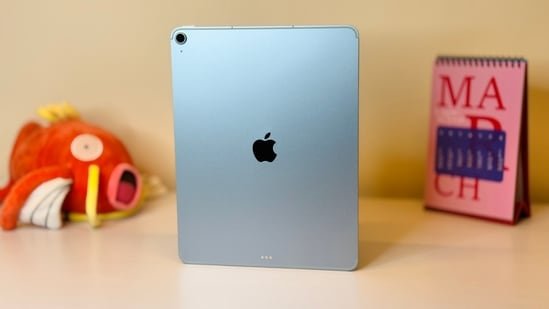
Every year, Apple makes buying an iPad a little more confusing. There are now multiple screen sizes, different M-series chips and several models that look quite similar on paper. Picking the wrong one could mean paying much more than you need to, or buying one that starts to feel limited after a few months.
If content creation is one of the reasons you’re planning to buy an iPad, your decision becomes much easier. Whether you edit videos, create social media content, sketch designs or simply want a portable device that can replace your laptop during travel, each iPad serves a different purpose. Here’s how I would choose an iPad in 2026 based on the work you do.
Quick comparison between different iPad models
Why is the iPad Pro the easiest choice in 2026?
If your work involves editing videos, managing social media or creating content every week, the iPad Pro is easily the best choice. The larger 13-inch display gives you much more room while editing timelines, arranging multiple layers or working with large photos. Pair it with Apple’s Magic Keyboard, and it starts feeling surprisingly close to using a lightweight laptop.
Apple’s M series processors also make a noticeable difference when rendering videos or working with larger projects. Apps like Final Cut Pro take advantage of this extra power, allowing creators to edit directly on the iPad instead of moving everything to a MacBook later. If content creation is your profession, the iPad Pro is the model that makes the most sense.
The iPad Air is the sweet spot for most people
Not everyone needs the extra power or premium display offered by the iPad Pro. That’s where the iPad Air becomes an easy recommendation. It delivers excellent performance with Apple’s M series chip while costing noticeably less. It comfortably handles photo editing, 4K video editing, graphic design and multitasking without feeling slow.
It also supports accessories like the Apple Pencil and keyboard, making it a versatile choice for students, freelancers and part-time creators. For many buyers, the iPad Air offers the best balance between price, performance and portability.
Don’t ignore the iPad mini
If you travel frequently, cover events, create content outdoors or simply want something that easily fits into a small bag, the iPad mini is incredibly convenient. It works well for reviewing footage, making quick edits, replying to clients, sketching ideas or controlling cameras on location. It won’t replace a laptop for serious editing, but as a secondary creative device, it is one of Apple’s most practical products.
The Apple ecosystem makes content creation easier
One reason many creators continue choosing an iPad is how well it works with other Apple devices.
Most creators record videos using an iPhone. Moving those files to an iPad takes only a few moments using AirDrop, allowing editing to begin almost immediately without relying on cables or cloud uploads.
Apple also offers Multicam support inside Final Cut Pro, letting creators sync footage captured from multiple iPhones. This makes editing interviews, podcasts and multi-angle videos much easier while keeping everything inside the Apple ecosystem.
If you already own an iPhone, an iPad naturally becomes part of the same workflow instead of feeling like a separate device.
Should you buy the standard iPad?
If your work mainly involves note-taking, watching videos, browsing the internet, attending online classes or occasionally editing photos, the standard iPad remains a sensible option.
It costs considerably less than the Air or Pro models while still delivering the familiar iPad experience. Unless your workload includes regular 4K video editing or demanding creative applications, you probably won’t notice a major difference in day-to-day use.
Which iPad would I recommend?
As someone who reviews laptops and tablets regularly, I think choosing an iPad in 2026 depends far more on your workflow than your budget. If content creation is your full-time job, the iPad Pro remains the best investment thanks to its larger display, M series performance and laptop-like experience with a keyboard.
The iPad Air is the model I would recommend to most buyers because it delivers nearly everything people actually need at a lower price. The iPad mini is perfect for creators who travel often, while the standard iPad continues to be a reliable option for everyday users.
The expertise
After reviewing tablets and laptops for more than seven years, I’ve found that the best device isn’t always the most expensive one. I’ve tested everything from entry-level tablets to premium iPad models, and my recommendations focus on real-world usability, long-term value and how these devices fit into everyday creative workflows.
Similar articles for you
Online classes, notes and projects: These are the top tablet options to consider right now
Modern tablets have come a long way, and some can now replace your laptop
Want to sketch, edit and create anywhere? Best tablets with pen support to buy now
Android tablet vs iPad in 2026: Which one handles AI, work, and gaming better for your money?
Disclaimer: At Hindustan Times, we help you stay up-to-date with the latest trends and products. Hindustan Times has an affiliate partnership, so we may get a part of the revenue when you make a purchase. We shall not be liable for any claim under applicable laws, including but not limited to the Consumer Protection Act, 2019, with respect to the products. The products listed in this article are in no particular order of priority.
