


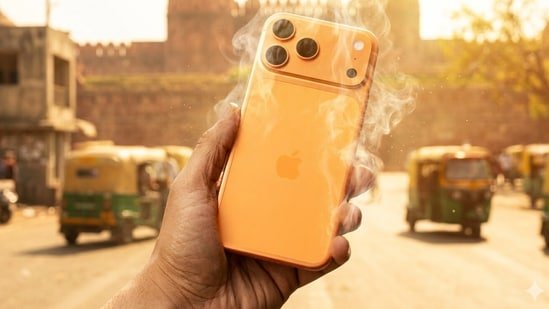
Peak summer is right around the corner in India, yet the country is already home to 97 of the world’s hottest cities. With every living being sweltering in this extreme weather, it’s no wonder that even our gadgets and gizmos are suffering the same fate. Take Chiraj Barjatya, a prominent fitness influencer in India, for instance. He took to X, to say that his iPhone 17 Pro Max stopped charging because it had become too hot. Essentially, iPhones have a safety feature that abruptly halts charging when the system detects unusually high temperatures, which could be the primary reason Chiraj’s phone stopped charging.
Apart from Apple, other smartphone brands also integrate similar safety features into their devices to protect their batteries from degradation. However, these features should always be treated as a last resort. They can slow battery degradation, but can’t prevent it. As a result, the onus remains on us to safeguard our smartphone batteries against capacity loss in this scorching weather. Fortunately, a few simple habits can go a long way in reducing battery stress during summer. So, here’s everything you need to know:
Practical Steps to Minimise Smartphone Battery Damage During Heatwaves
In this section, we look at steps to guide us in handling our smartphones in extreme heat, so our actions reduce the risk of battery degradation. Let’s take a closer look at them:
- Keep your phone away from direct sunlight and environments hotter than 35°C (95°F), as Apple, Samsung, and other smartphone brands warn that extreme heat can slow down charging speed and even irreversibly damage the battery.
- If your phone overheats, let it cool down naturally to room temperature before using or charging it again.
- Speaking of charging, remove phone cases while charging, as brands such as Apple and Samsung warn that trapped heat can reduce long-term battery capacity.
- Most importantly, always use proprietary or brand-approved PD chargers for your smartphone.
Software Tweaks to Reduce Smartphone Overheating
Aside from handling our smartphones well, there are software settings we can tweak to reduce overheating. Here is how you can optimise your smartphone settings to manage heat in hot weather better:
- Close unused apps, especially heavy games or camera apps, as they continue consuming power in the background and can make your phone heat up faster.
- Lower your screen brightness and turn off adaptive brightness outdoors, since higher brightness levels generate extra heat and drain more battery.
- Restrict apps with unusually high battery usage, as they can overwork your phone in the background and increase overall heat. On Android, open Settings > Apps > App management > select the specific app > Battery usage > Toggle off “Allow background activity”. On iPhone, the steps to restrict app background activity slightly differ. Here is what Apple suggests: go to Settings > Background App Refresh and choose Wi-Fi, Wi-Fi & Mobile Data, or Off to deactivate it completely.
- Turn on Battery Saver mode to limit background activity and reduce the strain on your phone during extreme heat.
- If your phone has an OLED or an AMOLED display, switch to Dark Mode, as darker pixels consume less power and generate less heat.
